As I am adjusting to my new position I have found that I am being bombarded by people with questions and problems who are expecting an instant fix or answer. They don't realize I have a to-do list one mile long and that they are #583. This became particularly frustrating today as I was attempting to create a staff Google Doc for an activity tomorrow. Every time I sat down to work or began typing my phone would ring, someone would walk in or my email would ping. While I love being able to help it took me triple the time to do something because of the stop and go.
Tonight as I was reflecting on my day and how I would handle this in my classroom! I realized that I never set the expectation for how teachers are supposed to communicate issues with me and I have instantly dropped what I was doing and helped them immediately. THIS is not a reality when school starts and students are the priority SO tonight I came up with a few solutions that I am going to present tomorrow!
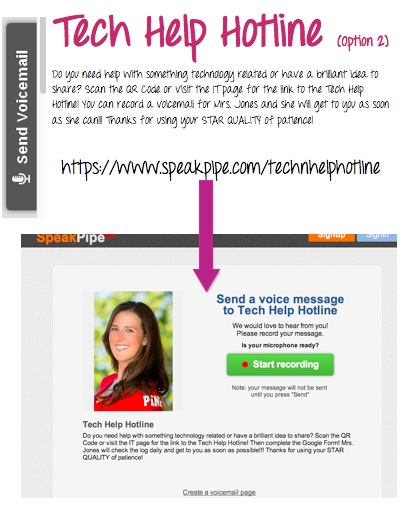
If you are not familiar with Google Docs/Drive, you need to check them out. I am going to dedicate a separate post or several posts to Google Docs/Drive. My solution was to create a Tech Help Hotline! I made a Google Form that teachers can access by scanning a QR Code or the link on our staff technology page. The Google Form is easy to fill out on a computer or on an iThing (pod or pad). Google Form then puts all of the information into a spreadsheet which I can check daily and touch base with anyone who had a question, problem or idea! To provide choice (just like I would do in my classroom) I did a second option using Speakpipe. Speakpipe is an online voicemail service where anyone can record a message which is then sent to your email. Brilliant? I think it is brilliant and I am super excited about this. I added a speakpipe here in case you want to leave me a voicemail! I would LOVE it! The only problem with speak pipe is that it does not work with the iPod/iPad because of the lack of Adobe Reader (BOOO!) so I provided the link on the poster as well as on the staff technology page. Of course option 3 is good old trusty email which is always safe!